- Explanation: This comprehensive guide will walk WordPress developers through the process of creating powerful and user-friendly front-end forms using JetEngine’s Form Builder. The ability to allow users to submit content directly from the front end of a website opens up a vast array of possibilities, from simple contact forms to complex user-generated content platforms, directories, and listing sites.
- Introduction to Front-End Forms:
- Why are they essential? (User engagement, content submission, directory listings, profile management, booking systems).
- The benefits of keeping users on the front end vs. sending them to the WordPress backend.
- JetEngine Form Builder Overview:
- Introduction to the intuitive drag-and-drop interface.
- Key features and settings.
- Creating Your First Form:
- Step-by-step process of adding various field types (text, textarea, number, select, radio, checkbox, date, media, file uploads, etc.).
- Configuring field settings: labels, placeholders, required fields, default values, validation rules.
- Post-Submit Actions: The Powerhouse of Forms: This critical section will detail what happens after a user submits the form.
- Insert Post: How to create new Custom Post Type items (e.g., a “Listing,” “Event,” or “Review”) directly from form submissions, mapping form fields to CPT meta fields.
- Update Post: Allowing users to edit existing content from the front end (e.g., updating their own submitted listing).
- Insert User: Registering new users on your site with custom roles.
- Update User: Allowing users to update their profile information.
- Send Email: Sending notifications to admins or users upon submission.
- Redirect to Page: Directing users to a thank-you page or confirmation page.
- Advanced Form Features:
- Conditional Logic: Showing or hiding fields based on previous selections for a dynamic user experience.
- Calculated Fields: Automatically calculating values based on user input.
- File Uploads: Handling images and documents securely.
- Recaptcha/Anti-spam: Protecting forms from unwanted submissions.
- Displaying and Integrating Forms:
- Adding forms to pages using Elementor widgets or Gutenberg blocks.
- Styling forms to match your website’s design.
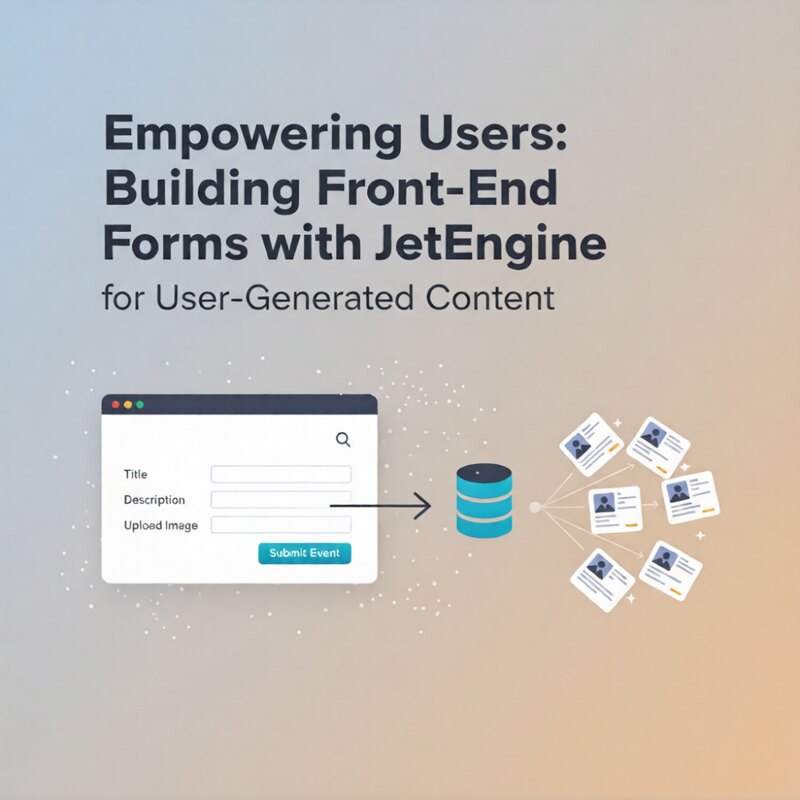
- Real-World Example: We’ll walk through building a complete “Event Submission” form where users can submit events, upload an image, and have it appear as a new CPT item on the website.
- Introduction to Front-End Forms:
- Thumbnail Idea (600×400, no rounded corners): A modern, clean design showing a stylized front-end website interface (like a browser window). Inside the browser window, a clear, user-friendly web form with various input fields. An arrow or visual flow could emanate from the “Submit” button, pointing towards a database icon or a grid of new content items, visually representing user-generated content being created. The JetEngine logo will be at the bottom right.
Empowering Users: Building Front-End Forms with JetEngine for User-Generated Content
Explanation: This comprehensive guide will walk WordPress developers through the process of creating powerful and user-friendly front-end forms using...